
Learn how to dynamically add new elements to the webpage using advanced Js dom methods.
Creating Elements
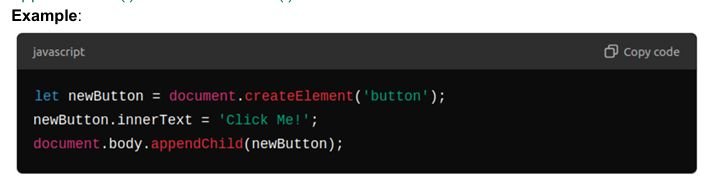
- document.createElement() is used to create a new element in the document. You can then add this element to the document using advanced Js dom methods like appendChild() or insertBefore().
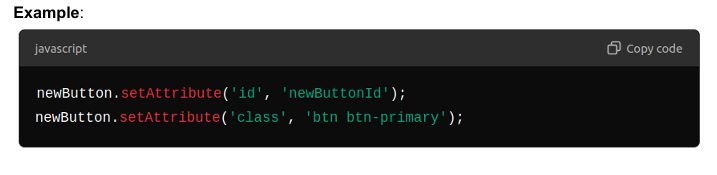
Setting Attributes:
- Use setAttribute() to modify or add new attributes to elements. This is particularly useful for setting classes, ids, or data attributes.
Removing Elements
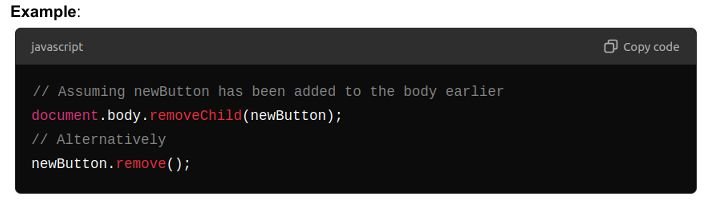
- Understand how to remove elements from the DOM, either by using removeChild() or the more recent remove() method.
- removeChild() requires a reference to the parent node and then removes the specified child from it. remove() is a simpler alternative that doesn’t need a reference to the parent node.
Modifying Elements
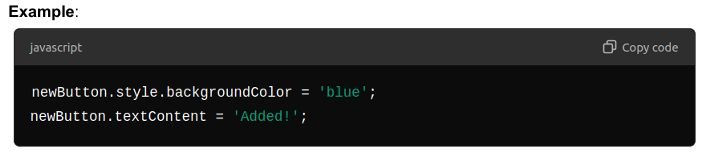
Review and practice modifying existing elements in the DOM, including their attributes and content.
- Besides setting attributes, you can directly change the styles, properties, or inner HTML of an element.
Introduction to Array Methods
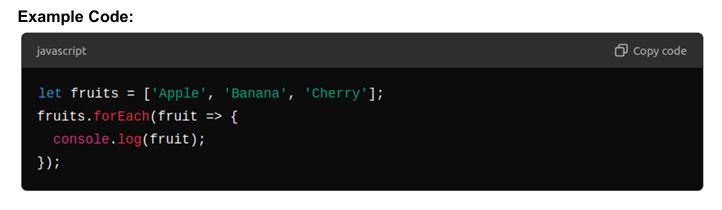
Learn how to iterate over array elements using the forEach method to execute a function on each element.
- forEach is a method that allows you to loop through each item in an array, similar to a for loop, but with cleaner syntax and better abstraction.
- Syntax: array.forEach(function(element) { /* actions */ });
Introduction to filter
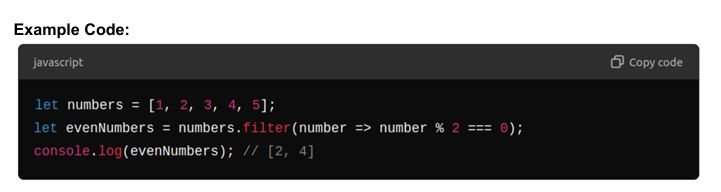
Understand how to use filter to create a new array filled with elements that pass a specified test.
- Overview: filter creates a new array including elements where the test function returns true and excluding those where it returns false.
- Syntax: let newArray = array.filter(element => condition);
JavaScript Events and Form Handling
Handling Forms with JavaScript
Teach students how to effectively capture and validate user input from forms using JavaScript.
Key Concepts and Implementation:
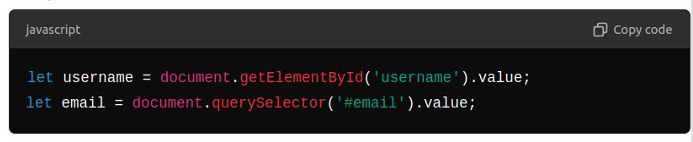
- Capturing User Input:
- Methods: Utilize getElementById() and querySelector() to access input elements.
- Validating Form Input:
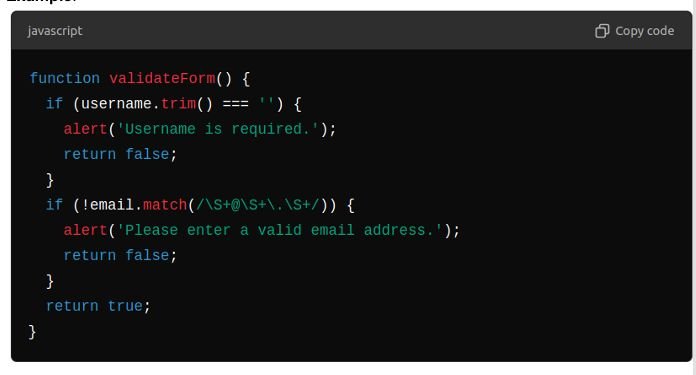
- Overview: Check the validity of form data, such as ensuring fields are not empty and email addresses are in a correct format.
Prevent Default Form Behavior
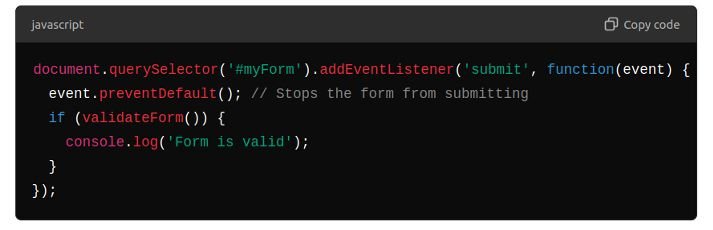
Explain how to use event.preventDefault() to stop the form from submitting in the traditional way, which allows for custom validation and handling via JavaScript.
Example and Explanation:
- Use preventDefault() within an event listener to prevent the form from being submitted automatically, which is useful for when validation fails or you need to post data via AJAX.
Methods and Implementation
- Show error messages next to the respective form field or use a modal/pop-up to alert the user.

Form Creation and Validation
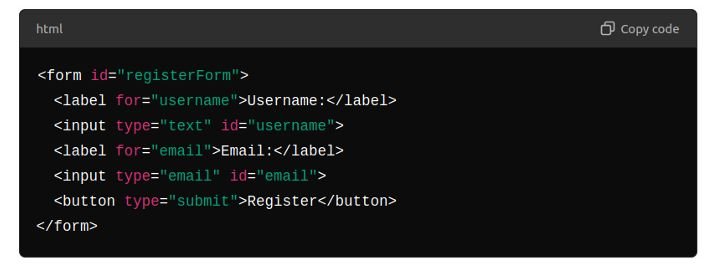
- Students will create a login/register form with fields for username, password, and email.
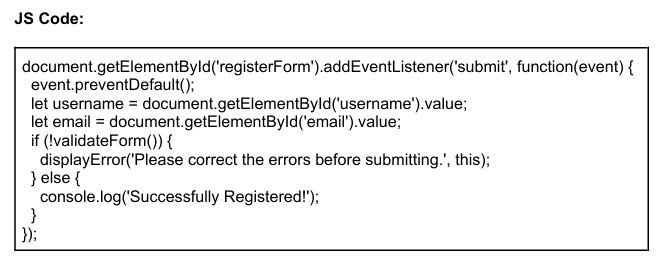
- Implement validation checks for each input and provide appropriate feedback.
Creating the form:
JavaScript Implementation:
nice tutorial
I’m impressed