What is HTML?
HTML stands for HyperText Markup Language. It’s the standard language used to create web pages.
HTML is used to structure content on the web by using various tags to define different parts of a webpage.
Basic HTML Document Structure
- Every HTML document starts with a <!DOCTYPE HTML> declaration to tell the browser what type of document it is.
- The main components of an HTML document are:
- <html>: The root element that wraps all the content on the page.
- <head>: Contains metadata about the document, like the title, links to
stylesheets, etc. - <body>: Contains the content that is displayed on the page.
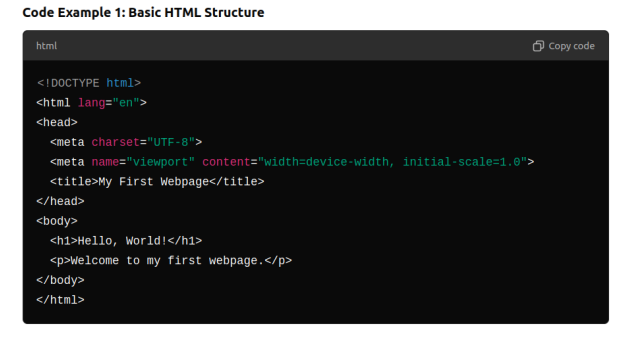
Explanation:
● The <!DOCTYPE HTML>,declaration is a required preamble.
● The <html>,element is the root of the page.
● Inside the <head>, we define the title of the page that appears in the browser tab.
● The <meta charset=”UTF-8”>,sets the character encoding for the document.
● The <body> element contains all the content that will be displayed on the webpage.
Basic HTML Tag
- Headings
- Paragraphs
- Lists
- Links
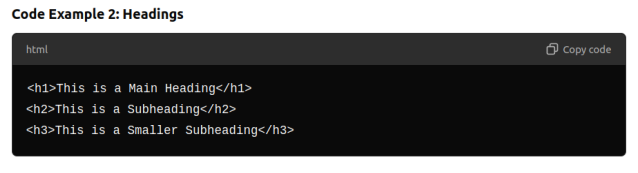
Headings
- HTML provides six levels of headings <h1> to <h6>.
- <h1> is the highest (largest) level heading, and <h6> is the lowest (smallest).
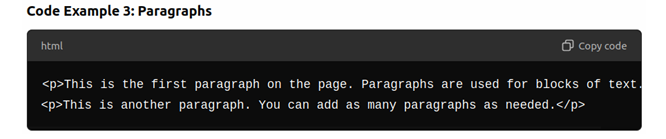
Paragraphs
- Paragraphs are created using the <p> tag. This is used for regular text content
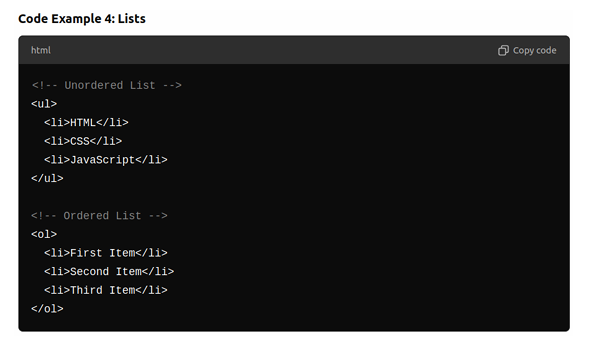
Lists
- HTML provides two types of lists: <ul> unordered lists tags and ordered list <ol> tags.
- List items are wrapped inside <li> tags.
Links
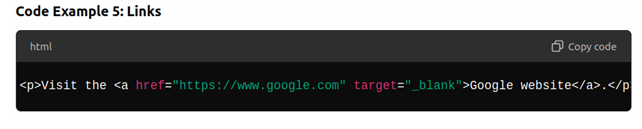
- Links are created using the <a> anchor tag. The href attribute defines the destination of the link.
Example: Google.com, hostinger.com etc.
Attributes and Inline Elements
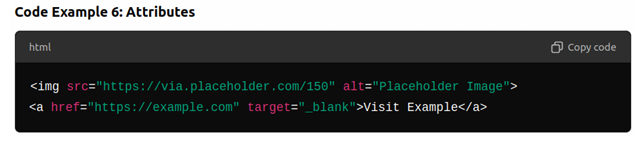
- Explain attributes (e.g., href, src, alt, target).
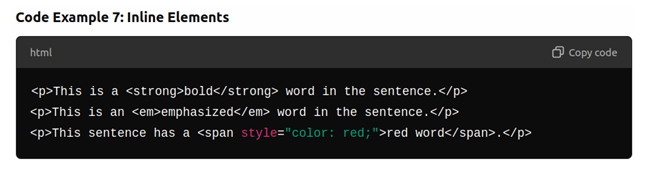
- Introduce inline elements like <span>, <strong> and <em>.
Inline Elements
- Inline elements appear inside other elements without breaking the flow of the document (e.g., within paragraph).
Introduction to Semantic HTML
What is Semantic HTML?
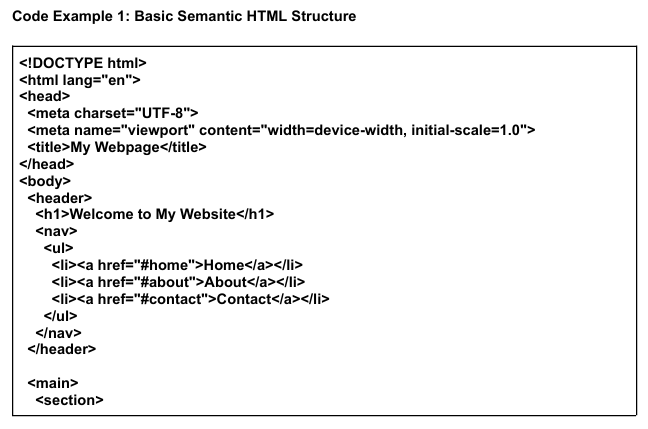
- Semantic HTML introduces meaning to the web content. Instead of using generic tags like <div>, semantic elements describe the content in a meaningful way.
- Examples of semantic elements include:
- <header> Represents the header of the page or section.
- <nav> Defines a navigation section.
- <main> Represents the main content of the page.
- <section> A standalone section of related content.
- <footer> Represents the footer of the page or section.
Building a Complete Page Structure
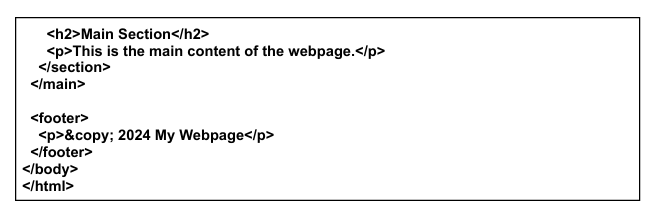
Steps:
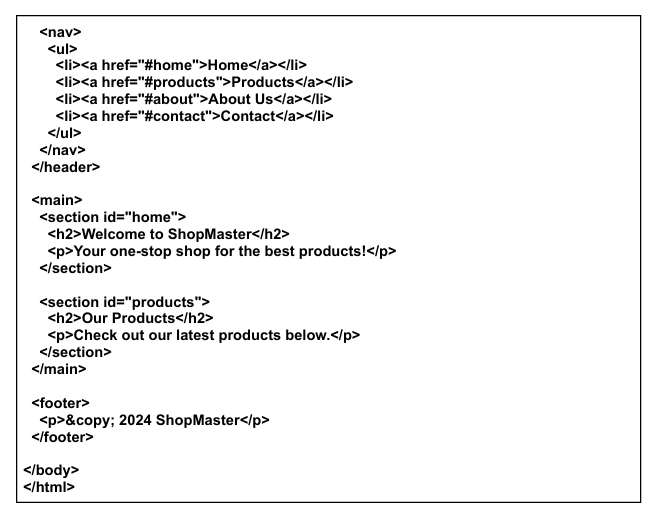
1. Header Section:
- Create a <header> element that contains a website title and navigation menu.
- Inside the <nav>, add a list of links <ul> pointing to different sections of the page.
2. Main Content:
- Use a <main> element for the primary content.
- Inside <main>, use <section> tags to divide the content logically (e.g., a product section, service section, etc.).
3. Footer Section:
- Add a <footer> element that includes some footer information (e.g., copyright).
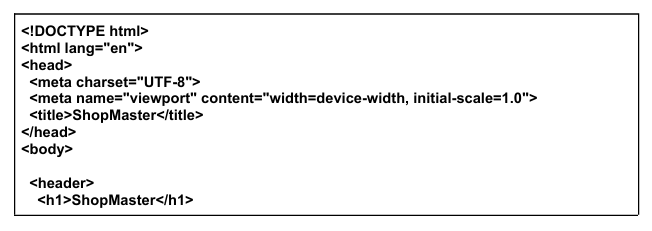
Code Example 2: Creating a Structured Webpage:
Linking Pages Together
How to Create Internal Links:
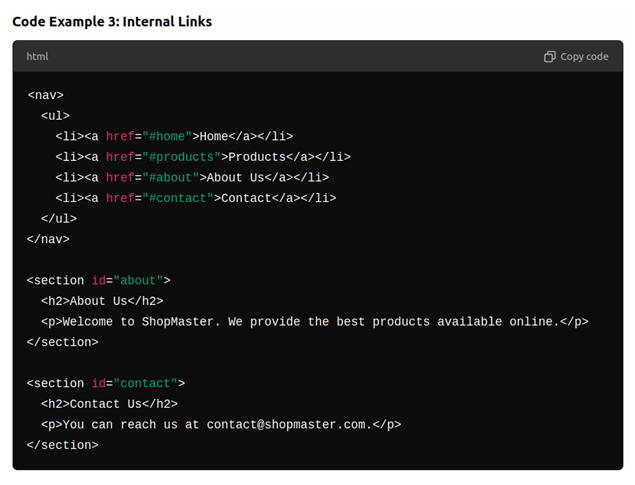
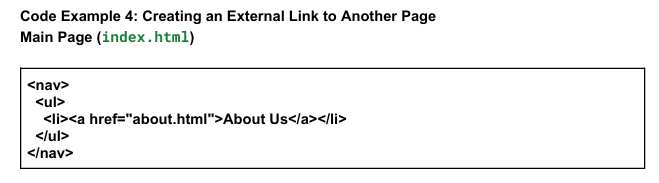
- Links <a> elements can link to different sections with in the same page using the id attribute.
- For example ,clicking “About Us” in the navigation should scroll the user to the” About Us” section.
Example:
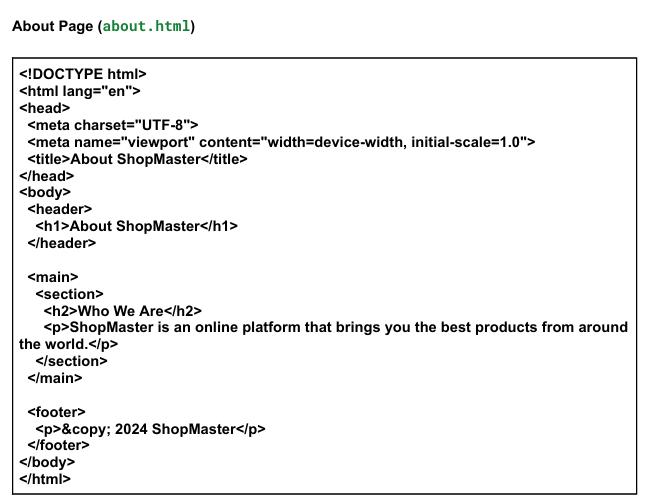
- Click on the link About Us and you will redirected to our website about us page.
Your Task
Create a one page website and add three sections called Home, About and Contact like every site have these in the shape of pages or sections.
I hope that this tutorial was helpful for you and you have learned some points from this tutorial, In this article we have discussed about the html basics and page structure which is explained in a very easy and simple way.
But if you face some difficulty or trouble please write in the comment section box below so we can help and solve your problems and other doubts.
If you do not find a write answer of your problem there is an another way to get your answer goto our site contact us page and write your question we will give you a write answer.
really an amazing article